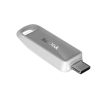
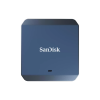
USB Flash Drives & SSDs for iPhone 15, 16, and 17

Group-58355

Want to add space to your new iPhone 17? Don’t have the latest iPhone but need backwards-compatible external drives? Sandisk offers storage solutions for multiple iPhone models.

Explore use cases and find the right fit for your needs.

Expanded Storage & Backup

Save more and back it up. Make room on your iPhone using USB-C™ compatible external storage and seamlessly back up on the SANDISK Memory Zone App.3

Direct-to-Drive ProRes Video Recording

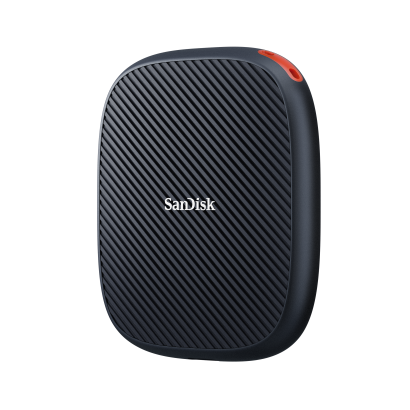
Shoot like a pro. Get the space and speed you need to capture and edit high quality mobile video from your phone to select external SSDs with MagSafe compatible drives.

Expanded Storage & Backup Options for iPhone 15, 16 and 17 Lineup2

Instantly add storage to your iPhone 15, 16 and 17.

Just plug in your compatible storage device1 and quickly offload or delete existing files from your phone onto the USB flash drive.

Simplify your iPhone 15, 16, and 17 back-up routine.

Help protect your photos and videos. Create an automatic backup schedule with just a few taps on the SANDISK™ app.3

Transfer your content across USB-C devices.

Keep your content accessible and shareable. Move files between your iPhone and laptop, wherever you work.

Enable ProRes Video Recording for iPhone 15, 16, and 17 Pro/Pro Max with External SSD Storage from Sandisk

Boost your iPhone 17 Pro/Pro Max's capabilities.

With a compatible portable phone SSD from Sandisk connect via USB-C to iPhone 15, 16, and 17 Pro/Pro Max to continuously record in Apple ProRes 4K at 60fps.4

Simplify your workflow with one device.

After recording video in ProRes 4K at 60fps directly to external storage, you can edit with your compatible drive, or quickly transfer your videos to your laptop or PC for real-time editing.4

Seamless flow between idea and execution.

With dedicated, high-capacity recording storage, you can shoot more moments without worry.

Check compatible expanded storage and backup for your iPhone.

BACKUP SOFTWARE

SANDISK App for iPhone

SANDISK app is the easiest way to back up data to Sandisk devices and make space for new content.3 Save it on here and share it out there — right out of the box.

Frequently Asked Questions

Select Sandisk USB flash drives and portable SSDs work with the latest iPhone models. Features may vary, so please refer to our compatibility checker for a detailed list of compatible drives and features. 

Related Content

SOLUTION

SSDs for ProRes Direct Video Recording

With SANDISK SSDs that are compatible with MagSafe, shoot and directly record stunning Apple ProRes video on your iPhone 16 or 15 Pro and Pro Max.

Read More

SOLUTION

SANDISK Creator Series for Content Professionals

Discover flash storage options for the content creator in you—everything from portable SSDs for iPhone, SD & microSD memory cards, to USB flash drives.

Read More

SOLUTION

Find the Right USB Flash Drives for Your Devices

Compare the different types of USB flash drives, and learn about which works best for your device, whether it’s a smartphone, tablet, or desktop computer.

Read More

TOPIC

BEASTGRIP® x SANDISK for iPhone 16 Pro & Pro Max

Transform your iPhone 16 Pro or Pro Max into a pro-grade content creation rig with a BEASTGRIP Beastcage, portable SSD mount, and other accessories.

Read More

Disclosures

1. See iPhone 17 Support Page for a full list of compatible Apple devices.
2. Compatible iPhone sold separately.
3. Download and installation required. Set up automatic backup within the app. Compatible with macOS 11+ and Windows® 10 & 11.  A compatible host device is required. See www.sandisk.com/memoryzone for app details.
4. Compatible device required. ProRes 4K video support may vary based upon host device, file attributes, usage conditions and other factors.

Compare